On this page
Angularアプリケーションにボタンを統合する
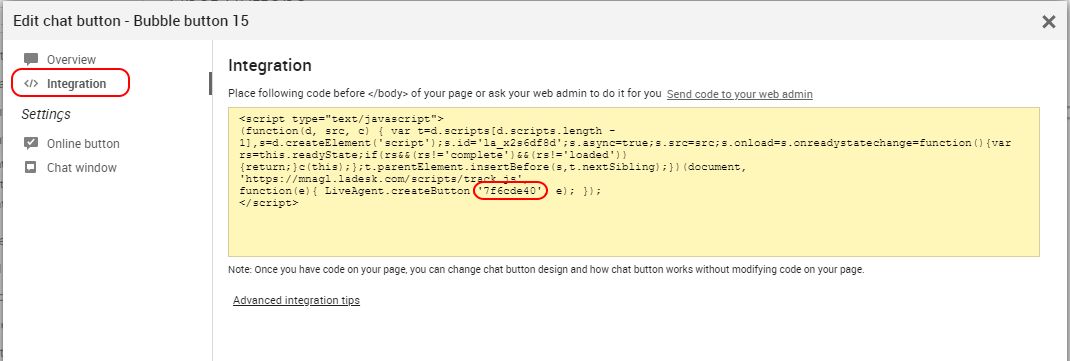
Angularアプリケーションは通常TypeScriptで記述されます。以下は、ボタンを作成するAngular 8コンポーネントのシンプルな例です。TypeScriptコンポーネント内では、track.jsで定義されているグローバル変数と同じ名前の変数LiveAgent(大文字の「L」に注意)を宣言する必要があります。
contact.component.html
...
<div id="chatButton"></div>
...
contact.component.ts
import { Component, OnInit } from '@angular/core';

declare var LiveAgent: any;

@Component({
  selector: 'app-contact',
  templateUrl: './contact.component.html',
  styleUrls: ['./contact.component.css']
})
export class ContactComponent implements OnInit {

  constructor() { }

  ngOnInit() {
    let scriptUrl = 'https://<youraccount>.ladesk.com/scripts/track.js';
    let node = document.createElement('script');
    node.src = scriptUrl;
    node.id = 'la_x2s6df8d';
    node.type = 'text/javascript';
    node.async = true;
    node.charset = 'utf-8';
    node.onload = function(e) {
      LiveAgent.createButton('BUTTON_ID', document.getElementById("chatButton"));
    };
    document.getElementsByTagName('head')[0].appendChild(node);
  }
}